Chatbots for customer service give customers a faster way to find help. They can answer common questions, guide people through self-service, collect support details, direct requests to the correct team and transfer conversations to a human when automation is no longer suitable.
Their role is not to replace every support representative. It is to handle clear and repeatable tasks so customers receive faster assistance and employees can focus on problems that need judgment, empathy or authority.
What Is a Customer Service Chatbot?
A customer service chatbot is software that communicates with customers through a conversational interface. It may appear on a website, mobile application, messaging platform, help centre or another digital support channel.
Traditional chatbots follow fixed scripts, buttons and predefined paths. AI-powered chatbots can understand more natural questions, use approved business knowledge, follow conversation context and provide more flexible responses. For example, customers might ask:
“How long does delivery take?”
“When should my order arrive?”
“What is your normal shipping time?”
An AI chatbot can recognise that these questions have a similar purpose and respond using the company’s delivery information. Modern customer service chatbots can also collect information, search knowledge sources, assist with self-service and escalate conversations that require a human representative.
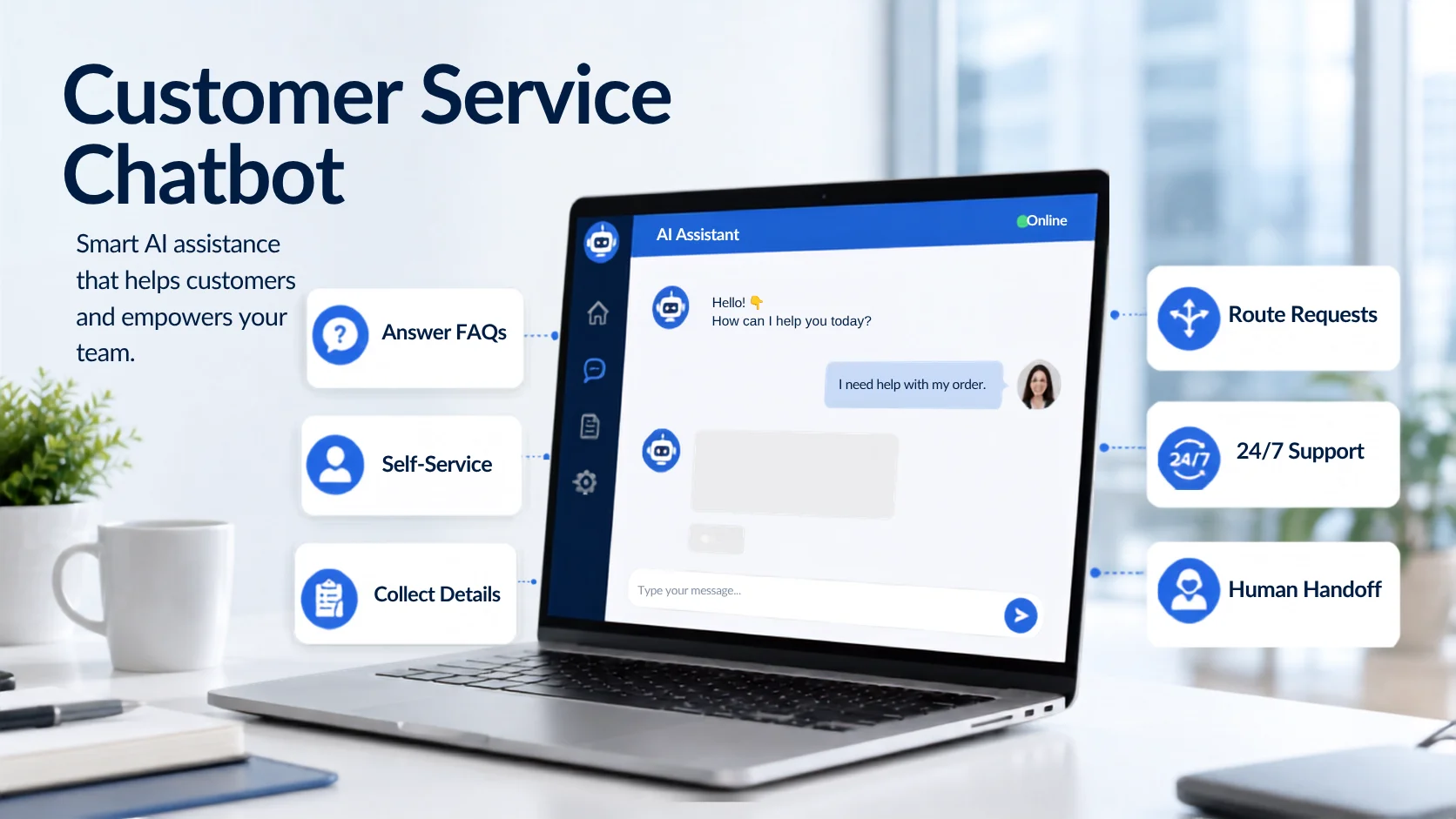
1. Answer Common Customer Questions
The most practical use of a customer service chatbot is answering repeated questions. Customers often ask about business hours, prices, products, service areas, delivery, returns, bookings, payment methods, warranties and account procedures. These questions are important, but they do not always require a support representative.
A chatbot can retrieve the answer from approved FAQs, policies, product pages and support documents. For example, a customer may ask: “Can I return an item that was purchased during a sale?”
The chatbot can explain the store’s actual return conditions instead of giving a general answer. This works only when the connected knowledge is accurate. If the chatbot cannot find reliable information, it should admit that limitation and offer another support option rather than guess.
2. Guide Customers Through Self-Service
Many customers prefer solving straightforward issues themselves when the process is easy to understand. A chatbot can guide them towards the correct help article, account instruction, form, policy, troubleshooting step or website page. Instead of presenting a long list of resources, it can first understand the customer’s question and then recommend the most relevant information.
For example, a software customer might ask: “How do I add another user to my account?”
The chatbot can provide the approved instructions or direct the customer to the appropriate guide. Knowledge-based AI chatbots are specifically designed to connect customers with relevant information from approved support content. Self-service should remain optional. When the instructions do not solve the problem, the customer should have a clear way to contact a person.
3. Collect Customer and Support Details
A chatbot can gather useful information before a support ticket is created or transferred. Depending on the issue, it might ask for:
The customer’s name and email
An order or account number
The product or service involved
A short description of the problem
The preferred contact method
Relevant screenshots or documents, where supported
Collecting this information early helps the support team understand the case before responding. The chatbot should request only the information genuinely needed to continue the support process. Businesses must also explain how customer data will be used and avoid collecting sensitive information without suitable controls.
4. Route Requests to the Right Team
Businesses often receive different types of enquiries through the same support channel. One customer may need billing help, another may have a technical problem and another may want to discuss a refund. A chatbot can identify the general purpose of each request and direct it to the appropriate team. For example:
Payment questions can be sent to billing.
Product faults can be sent to technical support.
Return requests can be sent to the returns team.
High-value enquiries can be directed to sales.
Account-security concerns can be prioritised for human review.
This reduces manual sorting and helps requests reach the right person sooner. Advanced conversational AI systems can work across chat, email, social media, voice and other service channels, although the available channels depend on the platform and integrations being used.
5. Support Ecommerce Customers Before a Purchase
Ecommerce customer service begins before the shopper places an order. A visitor may want to confirm product specifications, compare options, understand sizing, check compatibility or review delivery and return conditions. One unanswered question can prevent the shopper from completing a purchase.
A customer service chatbot can use store content to answer these questions and guide shoppers towards relevant products or pages. For example, a shopper might ask: “Will this case fit the Pro version of this phone?”
The chatbot can answer using the compatibility details available in the product information. It should not make assumptions when the published data does not provide a clear answer. An ecommerce chatbot may help with:
Product features and comparisons
Size and compatibility questions
Delivery and payment information
Returns and exchange policies
Store navigation
Product and collection discovery
Live inventory, personal order details, shipment tracking and refund processing require secure integrations. A chatbot should clearly distinguish between explaining a process and completing an action.
6. Help Customers After a Purchase
After purchasing, customers may need help with setup, delivery, exchanges, damaged items or account access. A chatbot can provide instructions, explain support procedures and guide customers to the correct next step. For example, it may explain how to:
Track an order
Request an exchange
Report a damaged item
Find a product manual
Activate an account
Reset a password
Access onboarding resources
When connected to the necessary systems and given the correct permissions, more advanced AI agents may also support approved actions. However, businesses should never claim that a chatbot has changed an order, issued a refund or updated an account unless that action has actually been completed.
7. Provide First-Line Support Outside Working Hours
Customers may visit during evenings, weekends, holidays or from another time zone. A chatbot can provide immediate first-line support when employees are unavailable. It may answer the question, direct the customer to a relevant resource or collect information for later follow-up.
This does not mean every issue can be resolved automatically. The chatbot should clearly explain when a team member will need to review the request. Conversational AI systems can provide support across digital channels at any time while allowing human teams to focus on more complicated enquiries.
This is particularly useful for ecommerce stores, SaaS businesses, travel companies, education websites and other organisations that serve customers across different locations.
8. Assist Human Support Representatives
Customer service chatbots do not always need to communicate directly with customers. AI can also work behind the scenes to help support representatives. It may retrieve relevant documentation, suggest a response, summarise a long conversation, identify the main issue or recommend the next support step.
For example, when a customer sends a detailed technical complaint, AI may summarise the previous messages and surface the most relevant troubleshooting document. The representative can then review the information and prepare a more informed response.
IBM describes this type of agent assistance as a way to provide representatives with suggested replies and relevant knowledge while reducing the time they spend searching through support content. The human representative should still review important responses rather than accepting every AI suggestion automatically.
9. Transfer Complex Cases to a Human
Human handoff is one of the most important capabilities of an effective customer service chatbot. Some situations require empathy, negotiation, authority or specialist knowledge. These may include:
Emotional complaints
Payment disputes
Unusual refund requests
Sensitive account concerns
Complex technical failures
Legal or regulated questions
High-value customers
Decisions requiring approval
A useful chatbot should identify these situations and transfer the customer to the appropriate person. The handoff should include the conversation history, information already collected, the original issue and the reason for escalation.
Zendesk’s current workflows allow AI agents to collect customer information and then escalate the conversation to a live agent, while its handoff guidance covers moving conversations between AI and human support. Customers should not have to repeat the complete issue after the transfer.
10. Support Customers in Multiple Languages
Businesses that serve customers in different regions may use multilingual chatbots to provide basic assistance in several languages. A chatbot may translate and respond to common questions about products, services, policies, bookings or support procedures.
This can improve access to information, but important content still needs careful review. Legal terms, payment conditions, warranties, return policies and technical instructions should not rely entirely on unchecked automated translation. Multilingual assistance should be introduced only when the business can maintain accurate knowledge and provide suitable human support for important cases.
11. Identify Common Customer Problems
Chatbot conversations provide useful information about what customers need. A business may notice that many people ask about the same product feature, return condition, delivery area, pricing detail or setup step. This can indicate that the website or support documentation is unclear. Conversation analysis may reveal:
Frequently asked questions
Missing support information
Confusing policies
Products causing repeated enquiries
Common reasons for escalation
Questions the chatbot cannot answer
Pages that need clearer explanations
The best response is not always to automate the same answer forever. Sometimes the business should improve the original product page, policy or help article so customers no longer need to ask.
What Chatbots Cannot Reliably Do Alone
A chatbot should not be treated as a complete replacement for human customer service. It may misunderstand a question, use outdated information or provide an unsuitable answer when its knowledge is incomplete.
It may also struggle with emotional situations, complex exceptions or decisions requiring business authority. Chatbots should not independently handle high-risk matters such as:
Legal or regulated advice
Serious financial disputes
Sensitive account changes
Emergency situations
Complex negotiations
Unusual refund approvals
Decisions involving significant risk
The business must define what the chatbot can answer and when a person should take over.
How to Use Chatbots for Customer Service Successfully
Start with one clear support problem rather than trying to automate every conversation. You may begin with repeated FAQs, ecommerce policy questions, basic troubleshooting or support outside normal working hours.
Prepare accurate website content, FAQs, policies, manuals and support documents before training the chatbot. Remove outdated or contradictory information so the system has a reliable source of truth.
Next, define escalation rules. Decide what the chatbot can answer, what information it may collect and which requests must be sent to a person. Test the chatbot with realistic customer messages, including spelling mistakes, short questions, unclear wording, follow-up questions and complaints.
After launch, continue reviewing conversations. Customer service chatbots require regular knowledge updates, testing and improvement as products, services, policies and customer needs change.
How Agent Best AI Supports Customer Service
Agent Best AI allows businesses to create a chatbot using their existing website content and additional business knowledge. The platform can learn from products, services, FAQs, policies, pricing details, manuals and uploaded support documents.
After deployment through a website widget, the chatbot can answer customer questions, guide visitors, support multiple languages and transfer complex conversations to the business team. Conversation analytics can also help businesses review customer questions, engagement and areas where the chatbot or website knowledge may need improvement.
For ecommerce stores, this may involve answering product, shipping and return questions. For SaaS companies, it may include feature, pricing, onboarding and basic troubleshooting guidance. Service businesses may use it to explain processes and prepare enquiries for human follow-up.
Final Thoughts
Chatbots for customer service can do much more than display automated replies. They can answer repeated questions, guide self-service, collect support information, route requests, assist ecommerce customers, support employees and provide help outside normal working hours.
Their most important capability, however, is knowing when automation is no longer enough. The strongest customer-service experience combines fast chatbot assistance with accessible human support. AI handles clear and repeatable work, while people remain available for situations requiring empathy, experience, judgment or responsibility.