Your chatbot answers a visitor's question perfectly. Then the visitor says: “Great, can someone contact me tomorrow?” The chatbot collects their name and email. And then nothing happens.
The information stays inside the chatbot dashboard. Sales never sees it. No CRM record is created. Nobody receives a notification. The chatbot worked. The integration did not exist.
That distinction is easy to miss when businesses first add AI to a website. A chatbot may understand your products, services, FAQs, and policies, but its real value grows when it can fit into the systems your team already uses. That is where chatbot integration services come in.
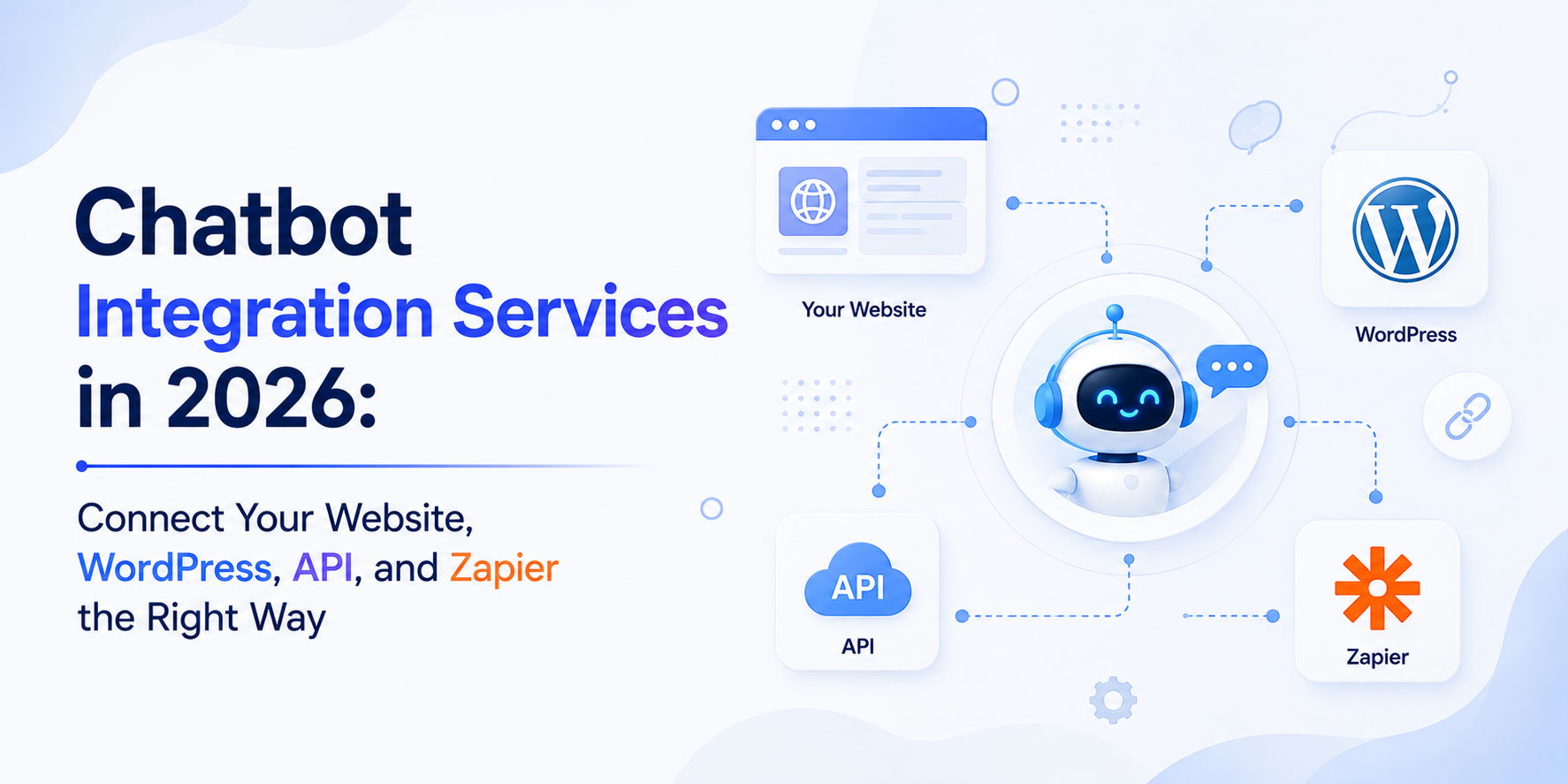
A website integration makes the chatbot available to visitors. A WordPress integration places it properly inside your CMS environment. An API integration can connect it with live customer or business data. Zapier can pass chatbot events into CRMs, spreadsheets, email tools, Slack, help desks, and thousands of other applications without requiring every workflow to be developed from scratch.
Agent Best AI currently supports website deployment, WordPress, API access, Zapier, Shopify, Slack, and email integrations, while also offering help with custom integrations for businesses that use other platforms or internal systems.
But connecting more tools is not automatically better. The real question is: What should happen before, during, and after a chatbot conversation? That is how a useful integration strategy should begin.
What Are Chatbot Integration Services?
Chatbot integration services connect an AI chatbot with the websites, applications, data sources, communication tools, and business workflows required for it to operate effectively. Integration can happen at several levels. A simple integration may only display the chatbot on your website.
A more advanced implementation might allow the chatbot to retrieve customer information from a CRM, send qualified leads to sales, create support tickets, trigger Zapier workflows, query an internal API, or notify a human when a conversation needs personal attention. Typical chatbot integrations include:
- Business websites
- WordPress
- Shopify and WooCommerce
- CRM platforms
- Help desks
- APIs
- Databases
- Zapier
- Slack
- Booking systems
- Internal business software
The important point is that these connections solve different problems. Installing the chatbot on WordPress is not the same as connecting it to your CRM. Connecting to your CRM is not the same as allowing AI to update customer records. And allowing AI to read an order is not the same as allowing it to cancel one. A professional integration should define those differences clearly.
Four Types of Chatbot Integration You Should Understand
For most businesses, chatbot integration can be grouped into four practical layers.
| Integration Type | Main Purpose | Example |
|---|---|---|
| Website Integration | Make the chatbot available to visitors | Add a floating chatbot widget to the site |
| WordPress Integration | Deploy and maintain the chatbot within WordPress | Add the chatbot across selected WordPress pages |
| API Integration | Exchange live information or perform controlled actions | Retrieve account or order information |
| Zapier Integration | Connect chatbot events with other business apps | Send qualified leads to CRM and notify sales |
You may only need one layer. Or your final implementation may combine all four.
1. Website Chatbot Integration: Where the Customer Experience Starts
For many businesses, website integration is the first requirement. You have an AI chatbot. Now visitors need a reliable way to open it from your actual website. This is usually done through an embedded widget or JavaScript snippet supplied by the chatbot platform.
External JavaScript can be loaded through the HTML element, and modern implementations can use loading approaches such as async or defer where appropriate to reduce parser-blocking behaviour. The technical installation may be short. The implementation decisions around it are not.
Where Should the Chatbot Appear?
Do you want it on:
- Every page?
- Product pages only?
- Pricing pages?
- Support pages?
- Logged-in customer areas?
- Selected landing pages?
Putting the chatbot everywhere is not always the best answer. For example, a SaaS company may want the chatbot prominently available on pricing and product pages but use different behaviour inside its logged-in application.
An ecommerce store may want product guidance on category and product pages while keeping the same agent available for shipping and return questions elsewhere. Integration should follow the customer journey.
Position and Mobile Behaviour Matter
A chatbot that looks fine on desktop can become irritating on mobile if it covers:
- Checkout buttons
- Cookie banners
- Navigation controls
- Add-to-cart buttons
- Accessibility controls
Always test the closed widget, open conversation window, keyboard interaction, and page scrolling on actual mobile screen sizes. The integration is part of your website experience, not a separate product floating above it.
Page Performance Should Be Checked
Third-party scripts can affect website loading behaviour if implemented poorly. MDN notes that ordinary scripts without async, defer, or module behaviour can execute while HTML is still being parsed, potentially delaying continued page processing.
That does not mean every chatbot widget creates a performance problem. It means performance should be measured rather than assumed. After integration, check:
- Page loading
- Core site functionality
- Mobile performance
- JavaScript errors
- Conflicts with other scripts
- Consent-management behaviour
A chatbot should improve the customer experience, not slow down the pages where customers are deciding whether to buy.
Website Integration Should Also Consider Analytics
Decide what you actually want to measure. Useful events might include:
- Chatbot opened
- Conversation started
- Lead captured
- Product recommendation viewed
- Human handoff requested
- Booking completed
- Qualified enquiry generated
Do not automatically classify every chatbot interaction as a conversion. Someone asking: “Where is your privacy policy?” and someone asking: “Can your sales team call me about the Enterprise plan?” have very different intent. Your analytics should preserve that difference.
How Agent Best AI Handles Website Integration
Agent Best AI is designed around a website-first workflow. It can crawl website pages, products, services, FAQs, and policies, build business knowledge from that content, and then provide an AI assistant for customer support, visitor guidance, and lead conversations.
This means the website serves two roles. It is where the chatbot is deployed, and it can also become one of the primary sources the chatbot learns from. For a deeper setup discussion, see our guide on how to add an AI chatbot to a website.
2. WordPress Chatbot Integration: Simple Installation Still Needs Proper Setup
WordPress powers a huge variety of websites, from small service businesses to ecommerce stores and content-heavy corporate sites. There are several common ways a chatbot can be integrated with WordPress. Depending on the chatbot provider and website configuration, implementation may use:
- A dedicated plugin
- An uploaded plugin
- A provided widget or script
- Custom HTML or JavaScript
- Theme or site-level integration
- A page-builder integration
WordPress officially supports plugins installed directly from its directory, ZIP uploads through the admin area, and manual plugin installation when necessary. The correct method depends on what the chatbot platform actually provides.
Plugin Integration
A dedicated WordPress plugin is usually convenient because installation and settings can be managed through the WordPress dashboard. The typical WordPress process is:
- Open Plugins > Add New.
- Find or upload the relevant plugin.
- Install it.
- Activate it.
- Complete the chatbot configuration.
WordPress recommends checking compatibility information when installing plugins because an outdated plugin may not have been tested against the site's current WordPress version. That is worth checking for any customer-facing chatbot integration.
Script or Widget Integration
Some chatbot platforms provide a code snippet instead of a dedicated plugin. WordPress supports custom HTML, although permissions matter. Its current documentation notes that users without the unfiltered_html capability may have disallowed elements such as scripts or iframes removed when content is saved.
So simply pasting a script into a random page block is not always the correct site-wide deployment method. For a persistent floating chatbot, you usually want an implementation that loads consistently across the appropriate pages rather than inserting the widget manually into every page.
Do Not Edit Parent Theme Files Without Thinking About Updates
A common shortcut is adding code directly to a theme file. That can create maintenance problems when the theme is updated.
Depending on your WordPress environment, a plugin-based integration, supported code-injection mechanism, or properly managed child-theme implementation is usually easier to maintain than repeatedly modifying core theme files.
The important goal is not merely getting the chatbot visible today. It is making sure the integration remains manageable six months later.
Test Caching and Optimization Plugins
WordPress sites often use:
- Caching
- JavaScript minification
- Script deferral
- CDN services
- Security plugins
- Cookie-consent tools
Those systems can sometimes change when or how a chatbot script loads. After integration, test the chatbot while logged out, in an incognito window, on mobile, and after clearing site caches. A chatbot that only works for the administrator who installed it is not successfully integrated.
Agent Best AI and WordPress
Agent Best AI currently lists WordPress as a supported integration and describes it as a way to add AI customer support to a WordPress website without a complicated technical setup. The same platform can crawl WordPress website content to learn from pages, services, products, FAQs, and policies.
This can be particularly useful for content-heavy WordPress sites because the chatbot does not need every answer manually recreated inside a separate bot. You can also read our dedicated WordPress chatbot builder guide.
3. API Chatbot Integration: Where AI Connects With Live Business Data
API integration is where chatbot projects usually become much more powerful and much more sensitive.
A website-trained chatbot can answer: “What is included in your Business plan?” But suppose the customer asks: “Which plan am I currently using?”
That information probably does not live on a public website. The chatbot may need to access an account system through an API.
Now the customer asks: “Upgrade my account to Business.” That moves from data retrieval into an action. These are different levels of integration.
Read Integrations
A read integration lets the chatbot retrieve information without changing the underlying system. Examples include:
- Check account plan
- Retrieve order status
- Look up available appointment slots
- Read CRM information
- Check inventory
- Retrieve support-ticket status
Read-only access is often a sensible starting point because it creates value without immediately giving the AI permission to modify business records.
Write Integrations
A write integration allows the chatbot to change something. For example:
- Create a CRM lead
- Open a support ticket
- Update customer information
- Book an appointment
- Add a note
- Modify an eligible order
This requires more careful controls. The difference is easy to understand: Read: “Your appointment is Friday at 2 PM.” Write: “I moved your appointment to Monday at 11 AM.” The second operation changes a real system.
Authentication Cannot Be an Afterthought
API integrations commonly rely on mechanisms such as:
- OAuth 2.0
- API keys
- Access tokens
- Service credentials
The exact method depends on the application. But credentials should not simply be placed where website visitors or front-end scripts can access them. Authentication and authorization need to happen within a controlled architecture.
Authentication and Authorization Are Different
This distinction is especially important for customer-specific chatbot integrations. Authentication asks: Who is this user? Authorization asks: What is this user allowed to access or change?
Suppose someone enters order ID 48291. Knowing an order ID should not automatically give that person access to the order.
OWASP identifies broken object-level authorization as a major API security risk and recommends checking that the authenticated user has permission to access the specific record involved in every relevant API function.
For a chatbot, that means the AI should not be trusted to determine access simply because a customer mentioned an identifier. Authorization must be enforced by the system behind it.
Only Return the Data the Chatbot Actually Needs
Imagine an API returns a complete customer record containing:
- Name
- Address
- Account tier
- Payment information
- Internal notes
- Support flags
But the chatbot only needs the account tier. There is little reason to expose everything else. OWASP recommends restricting exposed object properties to the minimum required for the business function rather than returning unnecessary sensitive fields.
That principle becomes even more important when AI is involved. More data is not automatically more useful. Sometimes it simply creates a larger privacy and security surface.
Error Handling Matters
External APIs fail. They time out. Credentials expire. Services experience outages. Rate limits are reached. Data is missing. A production chatbot needs behaviour for those situations. Suppose a customer asks: “Where is my order?” The order API times out.
A poor chatbot invents a likely delivery status. A better chatbot says it cannot retrieve the current order information and either tries again safely or offers another support route. Integrations should fail transparently. Not creatively.
Rate Limits and Usage Need Planning
APIs can limit request volume, and some services charge for usage. The chatbot should therefore avoid unnecessary API calls. For example, if shipping-policy information already exists in the knowledge base, there is usually no reason to query an order-management API just to explain the general shipping policy. Use live systems when live information is actually required. That keeps the architecture simpler, faster, and less expensive.
Logging Is Critical for AI Actions
If an AI chatbot changes business data, you should know:
- Which user requested the action
- What the chatbot understood
- Which API was called
- What data was submitted
- Whether it succeeded
- What response came back
- Whether a human approval was involved
If a customer says: “Your chatbot changed the wrong delivery address,” you need more than a conversation transcript. You need a record of what the integration actually did.
API Integration With Agent Best AI
Agent Best AI currently lists API access for connecting the chatbot with internal systems, business tools, and custom customer-support workflows. It also states that custom integrations can be developed for businesses that need to connect a specific internal platform or tool.
This creates a useful progression. Start with website knowledge for general questions. Add APIs only where live business data or real actions are necessary. That is usually much more practical than connecting every internal system on day one.
4. Zapier Chatbot Integration: Connect Workflows Without Building Every API Yourself
Zapier is useful when the chatbot needs to trigger actions across tools your business already uses but building individual API integrations would be unnecessary.
Zapier defines a Zap as an automated workflow made from a trigger followed by one or more actions. That model fits chatbot automation naturally. The conversation produces an event. Zapier moves that event into the rest of your business.
Example: Lead Capture
Suppose a visitor asks about enterprise pricing. The chatbot answers their questions and eventually collects:
- Name
- Company
- Team size
- Area of interest
A Zapier workflow could then:
- Create a lead in the CRM.
- Add the enquiry to Google Sheets.
- Notify sales in Slack.
- Send an internal email.
- Trigger a follow-up workflow.
The chatbot handled the conversation. Zapier handled what happened afterwards.
Example: Customer Support
A customer asks something the chatbot cannot resolve. The chatbot marks the conversation for human support. Zapier could potentially route the event into a workflow that creates a help-desk ticket or notifies the appropriate team. Again, this prevents customer information from becoming trapped inside one system.
Zapier Supports More Than Prebuilt App Connections
Zapier is useful even when the application you need does not have the exact prebuilt integration required. Its 2026 documentation describes several options for API requests.
Webhooks by Zapier can send or receive HTTP requests, while API by Zapier can connect to APIs that use methods such as OAuth 2.0 or API keys. Zapier recommends API by Zapier when authenticated API access is required, and you want credentials stored in a managed app connection rather than directly inside a workflow step.
That gives businesses a middle layer between no integration and hiring developers to build a complete custom connector.
What Is a Webhook?
A webhook allows one system to notify another system when an event happens. Zapier describes webhooks as a way for applications to automatically send information to another application. For a chatbot, a webhook might be triggered when:
- A lead is captured
- A conversation is completed
- A human handoff is requested
- A support issue is detected
- An appointment request is submitted
Instead of another system repeatedly asking: “Has anything new happened yet?” the chatbot or platform can send the event when it occurs.
When Zapier Makes Sense
Zapier is particularly useful when:
- The workflow uses common SaaS applications
- The automation is straightforward
- Business users need to maintain it
- You want to launch quickly
- Building custom API integrations would provide little additional value
Agent Best AI currently lists Zapier support for connecting its chatbot with thousands of business applications and automating actions across existing workflows.
Zapier itself currently markets an ecosystem of more than 9,000 app integrations. That is a lot of potential connectivity without building each connection from the ground up.
When a Direct API May Be Better Than Zapier
Zapier is not the answer to every integration problem. A direct API may make more sense when the workflow requires:
- Very low latency
- High transaction volume
- Highly custom authentication
- Complex bidirectional synchronization
- Detailed error recovery
- Strict internal architecture
- Customer-critical transactional actions
For example, using Zapier to notify sales about a new lead can be perfectly sensible. A high-volume banking workflow modifying sensitive account information may require a very different architecture. Choose the integration layer according to the risk and technical requirements.
Website vs WordPress vs API vs Zapier: Which One Do You Need?
You may not need to choose only one. Think about each integration as solving a separate question.
- Website Integration
Question: Where will customers talk to the AI?
Use this when you need to deploy the chatbot to a website.
- WordPress Integration
Question: How will the chatbot be deployed and maintained within WordPress?
Use this when your website runs on WordPress and you need a CMS-compatible setup.
- API Integration
Question: What live information or actions should the chatbot access?
Use this when website knowledge is not enough.
- Zapier Integration
Question: What should happen across other applications after a chatbot event?
Use this when you want to connect conversations with wider workflows without coding every connection yourself. A real implementation could use all four. For example:
WordPress website↓AI chatbot↓API checks customer subscription↓Customer requests human support↓Zapier creates CRM activity and alerts the team
That is a connected chatbot experience.
Knowledge Integration vs Workflow Integration
Businesses often mix these up. A knowledge integration helps the chatbot know something. A workflow integration helps it do something.
- Knowledge
- Website crawling
- FAQs
- Documents
- Policies
- Help center
- Product information
- Workflow
- Create CRM lead
- Send Slack notification
- Create ticket
- Query customer account
- Update business record
- Schedule appointment
Agent Best AI already separates these concepts in its current feature set. Website crawling and custom knowledge provide business information, while API access, Zapier, Slack, email, Shopify, and other integrations connect conversations to broader workflows. That separation is useful when planning your architecture.
What Should Professional Chatbot Integration Services Include?
The integration code is only one part of the service. A good provider should first map the actual business workflow. For each integration, define:
- Trigger
- Required data
- Destination
- Authentication
- Permissions
- Expected result
- Failure behaviour
- Human fallback
- Logging
- Ownership
For example:
- Trigger: Visitor requests a product demo.
- Required data: Name, work email, company, team size.
- Destination: CRM.
- Action: Create qualified lead.
- Notification: Alert assigned salesperson.
- Failure behaviour: Preserve lead in chatbot dashboard and notify administrator.
That is much more useful than saying: “Connect chatbot to CRM.”
Data Mapping Needs Attention
Two applications may describe the same information differently. The chatbot collects: Company Size: 11 to 50 employees. The CRM expects: employee_count_range = SMB_11_50. Someone needs to map those fields correctly. The same applies to:
- Countries
- Phone numbers
- Product IDs
- Customer IDs
- Lead sources
- Ticket priorities
- Dates
- Currency
- Custom CRM fields
A workflow can technically run successfully while still putting the wrong data in the wrong place. Integration testing should verify meaning, not merely whether the API returned status code 200.
Human Handoff Is an Integration Too
Human handoff is often described as a chatbot feature. Operationally, it is also an integration problem. When the AI decides that a person should take over, where does the request go?
- Chatbot dashboard?
- Slack?
- Email?
- Help desk?
- CRM?
- Live-chat queue?
And what information follows it?
Agent Best AI currently says its handoff workflow preserves conversation history, collected contact information, customer questions, and other relevant context before the team takes over. It can also send alerts through connected communication tools.
That is the right idea. A customer should not have to explain everything again because two systems failed to share context.
Security Should Be Designed Around Permissions, Not Convenience
The easiest integration is not always the safest one. If an API token gives the chatbot permission to read, modify, and delete every customer record, but the chatbot only needs to check subscription status, those permissions are too broad. Use the minimum access required.
The same principle applies to Zapier and other automation platforms. Zapier notes that app connections grant access according to the account and permissions authorized during connection, using authentication methods including OAuth 2.0, API keys, and others.
Think carefully about which account you connect and what that account is allowed to do. An integration is only as safe as the permissions behind it.
Test Failure Cases, Not Just Successful Workflows
Most integration demos look like this: “Submit lead.” CRM record appears. Everyone is happy. Production does not stay that clean. Test:
- Missing email
- Invalid phone number
- CRM unavailable
- Expired API credential
- Duplicate customer
- API rate limit
- Webhook failure
- Timeout
- Unauthorized request
- Customer closes browser halfway through
Then decide what happens. A well-designed integration should fail predictably. The customer's data should not simply disappear.
Do You Need Custom Chatbot Integration Services?
Not always. If your requirements are:
- Put chatbot on website
- Train it from website content
- Add it to WordPress
- Receive email alerts
- Send handoffs to Slack
- Send leads through Zapier
An existing chatbot platform may already provide most of the architecture. Custom integration becomes more relevant when you need:
- Proprietary internal systems
- Customer-specific authenticated data
- Unusual APIs
- Complex write actions
- Specialized business logic
- Real-time synchronization
- Custom security requirements
This is similar to the decision covered in our AI chatbot development company vs no-code builder guide. Do not build custom integrations simply because custom sounds more advanced. Build them when an existing connector cannot reliably support the workflow.
A Practical Integration Plan for a Small Business
Suppose a service company is introducing its first AI chatbot. A sensible first version might be:
Step 1: Website
Deploy the chatbot across the primary service and pricing pages.
Step 2: Knowledge
Train it on services, pricing, FAQs, policies, and uploaded business information.
Step 3: Lead Capture
Collect contact information when a visitor shows genuine buying intent.
Step 4: Zapier
Send qualified leads to the CRM and notify sales.
Step 5: Human Handoff
Escalate complex questions to the appropriate team member. Notice what is missing.
No custom API.
No complicated agent workflow.
No internal database integration.
If customers later start asking account-specific questions, then an API may become useful. Integration should expand because there is evidence for the requirement, not because more integrations look impressive on an architecture diagram.
A More Advanced Ecommerce Example
Now imagine an ecommerce business. The chatbot needs to answer:
“Is this jacket waterproof?”
That comes from product knowledge.
Then: “Is black medium in stock?”
That may require current product or inventory data.
Then: “Where is my order?”
That requires authenticated customer and order information.
Then: “Can you change the delivery address?”
That may require a controlled write action. The architecture may therefore include:
- Website/store integration
- Product knowledge
- Ecommerce API
- Customer authentication
- Human handoff
- Zapier notifications
The chatbot is the conversational surface. The integrations determine what happens behind it.
Where Agent Best AI Fits
Agent Best AI is designed to cover much of the standard integration path without asking businesses to build every connection themselves. Its current platform supports website crawling across WordPress, Shopify, WooCommerce, and other websites.
It also lists WordPress integration, Shopify integration, Slack alerts, email notifications, API access, Zapier automation, and assistance with custom integrations. That means a business can begin with a relatively simple setup:
- Connect the website.
- Build knowledge from existing content.
- Deploy the chatbot.
- Add additional business information.
- Connect team notifications or workflows.
- Introduce API or custom integrations only where needed.
This can be more practical than starting with a large custom integration project before you know which customer conversations actually require live systems. You can review the Agent Best AI features or see how Agent Best AI works before deciding which integrations your setup needs.
What to Ask a Chatbot Integration Provider
Before hiring someone, ask questions that reveal how the workflow will really operate.
| Area | Question to Ask |
|---|---|
| Website | How will the chatbot be loaded and tested across desktop and mobile? |
| WordPress | Will you use a supported plugin, widget, or another maintainable method? |
| API | Which endpoints and permissions will the chatbot use? |
| Authentication | How will customer identity be verified? |
| Zapier | Which trigger starts the workflow and which actions follow? |
| Data | Which fields are transferred between systems? |
| Security | Where are API keys and credentials stored? |
| Failures | What happens when an API, Zap, or webhook fails? |
| Handoff | Which conversation context reaches the human team? |
| Logging | Can we see which integrations and actions were triggered? |
| Testing | Which successful and failed scenarios will be tested? |
| Maintenance | Who updates the integration when APIs or business processes change? |
If the provider cannot explain the data flow clearly, the integration probably is not clearly designed yet.
Common Chatbot Integration Mistakes
- Connecting Everything Immediately
More integrations create more dependencies. Start with what customers actually need.
- Confusing Website Knowledge With Live Data
A crawler can learn your general return policy. It cannot automatically know the status of an individual customer's return.
- Giving APIs Too Much Permission
Read access may be enough for the first version. Do not enable write access without a business reason.
- Using Zapier for the Wrong Kind of Workflow
Zapier is excellent for many cross-app automations, but customer-critical, high-volume, highly customized transactional workflows may justify a direct integration.
- Ignoring Mobile Website Testing
A chatbot can interfere with important interface elements if positioning is not tested properly.
- Forgetting Failure Handling
Plan what happens when CRM, API, webhook, or notification delivery fails.
- Losing Context During Human Handoff
The human should receive what the customer has already explained.
- Never Reviewing the Integration Again
APIs change. WordPress plugins update. CRM fields change. Business workflows evolve. Integration maintenance is part of operating the chatbot.
How to Know Whether an Integration Is Working
Do not judge success by whether the green “Connected” badge appears. Measure what the integration accomplishes.
For a lead workflow, ask:
- Are leads arriving in the CRM?
- Are required fields complete?
- Are duplicates controlled?
- Is the right salesperson notified?
- Can lead source be attributed?
For support:
- Are escalations reaching the correct team?
- Does the employee receive conversation context?
- Are tickets created properly?
- Are failed handoffs visible?
For APIs:
- Are requests successful?
- Is response time acceptable?
- How often do calls fail?
- Are unauthorized actions blocked?
- Are API errors handled correctly?
For WordPress:
- Does the chatbot load reliably?
- Does it work on mobile?
- Does it survive caching and theme updates?
- Does it interfere with important page actions?
Integration quality is an operational metric. Not just a setup task.
Final Thoughts
Chatbot integration services turn an AI chatbot from an isolated conversation tool into part of the business workflow. Website integration determines where visitors can use it. WordPress integration determines how the chatbot fits into a WordPress environment and remains maintainable.
API integration gives it controlled access to live business information and, where appropriate, the ability to perform actions. Zapier integration connects chatbot events with the wider tools your business already uses, often without requiring every workflow to be coded from scratch.
You do not need all of them on day one. Start with the customer conversation. What information does the visitor need? What happens if the chatbot cannot help? Does another employee need to know about the conversation? Does the chatbot need live data, or is website knowledge enough? Does the interaction need to update another system?
Then add the integration required to solve that specific problem. For many businesses, Agent Best AI can cover the foundation through website knowledge, WordPress support, team notifications, API access, Zapier connectivity, and custom integration options.
The goal is not to connect your chatbot to every tool in your technology stack. It is to make sure that when a customer asks for something useful, the conversation actually goes somewhere.
=========================================================